
Everything in one calendar.
Chrona runs the booking website, the team calendar, payments and customer messages for studios, salons, practices and coaches, from one place. Set it up from a description of your business.
Free to get started, no credit card.
Launch
Describe your business. Chrona builds the rest.
Tell the setup wizard what you do and upload your logo. It drafts your description and services (classes and inventory on Pro), builds brand palettes and font pairings from the logo, and generates a full website with images, published on your Chrona subdomain, or your own domain on Pro. Change any page later in Studio with plain-English prompts.
Deep tissue massage
60 min · $120 · with Priya or any available
Deep tissue · 60 min
Thu 16 Oct · 14:00 · Jordan P.
- Asked Sam · 10:32 · outside their hours
- Created by you · 10:31
09:00 – 13:00 · Downtown
Your shift · 1 booking
- 10:30 Hot stone · Alex R.60 min
14:00 Deep tissue · Jordan P.
From your manager · outside your hours
I cannot attend this shift
Team calendar
A calendar that asks before it assigns.
Every booking either has someone on it or it is unassigned, and unassigned means nobody on it. If the person you pick is outside their hours, blocked or busy in Google Calendar, Chrona sends them an ask instead of forcing the booking. Try it: answer the ask on the phone and watch the booking update.
- Day, week and board views on a five-minute grid
- Block time by business, person or location, with a private note customers never see
- An emergency block keeps existing bookings and flags each one as needing a decision
- Lunch breaks, hours per day and per location, and one clock per venue
Payments
Get paid the way your customers want to pay.
Stripe Connect underneath. Take payment in full, hold the slot with a deposit, or let them pay after the visit, with saved cards, tips and sales tax. A five-minute checkout hold means two people cannot buy the same slot.
- Pay in full, a deposit by percentage, or pay later
- Saved cards, tips and sales tax
- A pay-by-card link, copied or sent in chat
- Five-minute checkout holds; memberships bill monthly on Pro
Hot stone massage · 60 min
Thu 16 Oct · 10:30 · Jordan P. with Priya
- Deposit 25%
- $30 paid
- Balance
- $90 at visit
- Tip and tax
- Added at checkout
Reformer Pilates
Mon and Wed · 07:00 · Lena
10 of 12 booked · 2 on the waitlist
- Repeats weekly · 6-week course
- A cancellation offers the seat to the first in the queue
Unlimited
Best value$149 a month
- Unlimited classes
- Book 7 days ahead
- Two guest passes a month
- Trial length is yours to set
Classes and memberships
Run classes like a studio, not a spreadsheet.
Recurring cohorts with their own instructor. Attendance, seat caps and a waitlist that fills cancellations automatically. Members-only or open seats. Membership tiers with session credits or unlimited plans, commitments and instalments, trials and priority booking, billed monthly through Stripe. Classes, waitlists and memberships are on Pro and up.
Calzy
Ask Calzy. It checks the calendar before it answers.
Calzy is the owner's assistant. It reads the same availability engine as your website and your front desk, then books, reschedules or cancels appointments once you confirm. Today it is for owners and one-to-one services; classes are next. Try a quick reply.
- Checks availability against the same rules as your website and front desk
- Books, reschedules and cancels one-to-one appointments once you confirm
- Answers questions like how busy today is or whether one more booking fits
Can Priya take a 60-minute massage on Thursday afternoon?
Checked Priya's calendar
Book 14:00 for Jordan.
Booked
And the rest
One platform. The whole front desk.
The parts of running a service business that usually live in five other tabs.
Clients
A timeline per customer: bookings, forms, documents from chat, and notes you keep private or share.
Messages and enquiries
Chat with customers, photos and PDFs included, plus an inbox for your website's contact form.
Forms and waivers
Seventeen field types including signature and consent. Attach a form to a service and collect it at booking.
Services
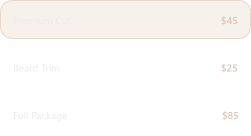
Online, in person or hybrid, each with its own price, duration, deposit rule and reschedule policy.
Inventory
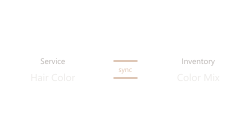
On Pro: items you sell or rent, linked to the services that use them, so stock moves with each booking, with low-stock alerts.

Analytics
Revenue and expected revenue, bookings, no-shows, capacity, and a list of what needs attention today. Full history on Pro, combined across businesses on Max.
Google Calendar and video
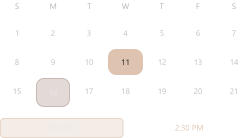
Two-way sync per business. A Meet link per booking or one shared room; Zoom and Teams links recognised.
Your website
Published on your Chrona subdomain, or your own domain on Pro, and rebuilt automatically when services or plans change.

Notifications
Email for bookings, changes and cancellations, SMS for customers who opt in on Pro, and stock alerts in the app.
Also in the box: Google sign-in and pausing a business instead of deleting it. Pro and Max add several locations and several businesses under one owner.
How it works
Live in three steps.
From a blank account to a published booking website, without a designer or a spreadsheet.
- Step 01
Describe your business
A few sentences and your logo. The setup wizard drafts your services (classes and inventory on Pro) and a full website from them.
- Step 02
Set hours and payments
Hours per location and per staff member, buffers and minimum notice. Connect Stripe and choose how customers pay: in full, a deposit, or later.
- Step 03
Publish and take bookings
Go live on your Chrona subdomain, or your own domain on Pro. The first website gets a quick review before it is public.
Who it's for
Built for businesses that run on appointments.
The setup wizard asks what you do and shows only the settings that apply. A barber never configures rental inspections.
Fitness studios and gyms
Recurring cohorts, attendance, waitlists that fill themselves, and memberships with credits or unlimited plans, on Pro.
Salons and spas
A column per stylist, deposits that protect the chair, and retail or consumables linked to the services that use them.
Therapy and wellness practices
Online, in person or hybrid sessions, consent and intake forms with a signature, and notes that stay private.
Coaches and consultants
A Google Meet link on every booking, a pay-by-card link in chat, and Calzy to book from a sentence.
Pricing
Free until you grow. Then $39.
Start on Free with no card and no time limit. Pro adds classes, memberships, inventory and your own domain. Max is for groups with several venues. Enterprise is a conversation.
Free
For personal use and getting started.
$0per month
No card, no time limit
- 1% Chrona payment fee
- 1 active business / 1 location
- Up to 3 business staff
- Unlimited clients & bookings
- Booking website
- Deposits & payment links
- 3 form templates
- Owner Google Calendar sync
- 30-day reports
- 50 Calzy requests / month
- Email reminders / no SMS
Pro
Most popularFor growing service businesses.
$39per month
$390 / year if billed annually
- 0% Chrona payment fee
- Everything in Free, plus:
- Up to 3 businesses / 3 locations each
- Unlimited business staff
- Classes & waitlists
- Recurring memberships
- Inventory & stock alerts
- Unlimited form templates
- Custom domain
- Full-history reports
- 500 Calzy requests / month
- 250 SMS segments / month
Max
For multi-location businesses and teams.
$99per month
$990 / year if billed annually
- 0% Chrona payment fee
- Everything in Pro, plus:
- Up to 10 businesses / unlimited locations
- Combined business reporting
- Custom staff permissions
- Priority support
- Team onboarding call
- Website setup review
- 1,500 Calzy requests / month
- 1,000 SMS segments / month
Enterprise
For 11+ businesses or complex needs.
Custom
Quoted for your group
- Agreed business & location limits
- Agreed AI & SMS allowances
- Dedicated onboarding
- Assisted data migration
- Named contact
- Invoiced billing
- Agreed service terms
- Payment fee agreed in quote
Chrona uses Stripe for all digital payments. Terms apply.
Smarter scheduling starts here.
Set-up takes a few minutes with the AI wizard. Free to get started, no credit card.